
In today’s fast-evolving education landscape, keeping students actively engaged in coding classes has become both a challenge and an opportunity. With project-based learning gaining momentum, educators are discovering powerful ways to make lessons more interactive and meaningful.
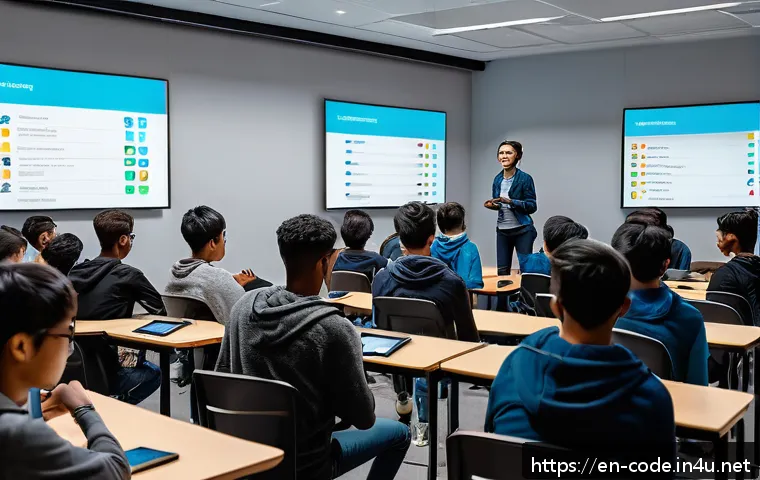
If you’ve ever wondered how to transform your coding sessions into dynamic experiences that inspire creativity and critical thinking, you’re in the right place.
Let’s explore effective coaching techniques and lesson planning strategies that truly resonate with learners. Stick around to uncover practical tips that can elevate your teaching and help students thrive in the digital age.
Creating a Collaborative Environment for Coding Success
Fostering Peer-to-Peer Learning
One of the most impactful ways to boost engagement in coding classes is by encouraging students to learn from one another. When learners collaborate on projects, they naturally exchange ideas, troubleshoot problems together, and develop a sense of ownership over their learning.
From my experience, setting up pair programming sessions or small coding groups transforms the classroom atmosphere. It’s amazing to see shy students open up when they realize their peers face similar challenges, and this mutual support often leads to deeper understanding and increased confidence.
Plus, it mirrors real-world software development environments where teamwork is essential.
Encouraging Open Communication and Feedback
Creating a safe space where students feel comfortable sharing their thoughts and questions is crucial. I found that regularly dedicating time for students to give and receive constructive feedback helps them reflect on their own work and learn new approaches.
It’s important to guide them on how to offer feedback respectfully and constructively, which builds their communication skills alongside coding expertise.
This practice not only improves the quality of projects but also nurtures empathy and critical thinking, making the learning process more engaging and meaningful.
Using Gamification to Build Team Spirit
Injecting some friendly competition through gamified elements can motivate students to push their limits. Simple ideas like coding challenges, leaderboards, or badges for milestones bring excitement and a sense of achievement.
However, I always stress that the focus should be on collaboration rather than just winning. When students work together to solve problems and celebrate group successes, the learning environment becomes lively and supportive.
Gamification taps into natural human motivation, making coding feel less like a chore and more like a fun adventure.
Designing Projects That Spark Curiosity and Creativity
Aligning Projects with Real-World Applications
Students tend to engage more deeply when they see how coding skills apply to everyday life. Projects that solve tangible problems or simulate real-world scenarios help bridge the gap between theory and practice.
For example, building a simple budgeting app or designing a basic game gives learners a clear purpose behind their efforts. From my teaching journey, these authentic tasks not only enhance technical skills but also spark curiosity about how technology shapes the world around us.
It’s rewarding to watch students light up when they realize their code can create something useful or entertaining.
Incorporating Student Interests into Project Themes
Personalizing projects based on what excites students can elevate their motivation dramatically. I’ve noticed that when students get to choose themes that resonate with their hobbies or future goals—whether it’s coding a music playlist manager, a fitness tracker, or a storytelling app—they invest more time and energy.
This autonomy fosters a sense of ownership, making the learning process more enjoyable and meaningful. Plus, it encourages creativity, as students often bring unique ideas and perspectives that enrich the entire class experience.
Balancing Complexity and Accessibility
Finding the sweet spot between challenging students and avoiding frustration is key. Projects should be complex enough to stretch learners’ abilities but accessible enough to ensure steady progress.
In practice, I break down larger projects into manageable milestones, allowing students to celebrate small wins along the way. This scaffolding approach keeps motivation high and helps students build confidence step by step.
When they see their progress clearly, they’re more likely to stay engaged and tackle even tougher problems with enthusiasm.
Integrating Technology Tools to Enhance Learning
Leveraging Interactive Coding Platforms
Interactive platforms like Replit, CodePen, or Scratch offer instant feedback and a user-friendly interface, which makes coding more approachable for beginners.
I’ve found that using these tools in class allows students to experiment freely without the fear of breaking things. The immediate visual results keep their attention and encourage trial and error, a vital part of learning to code.
Plus, many of these platforms support collaboration, so students can easily share their work and learn from peers.
Utilizing Version Control for Project Management
Introducing version control systems like Git early on not only prepares students for professional environments but also helps them manage their projects more effectively.
When I incorporated Git into my classes, students quickly saw the benefits of tracking changes, reverting mistakes, and working collaboratively on code.
While it may seem advanced at first, with proper guidance, learners appreciate the structure and safety it provides. This experience boosts their confidence and equips them with a valuable skillset for future coding endeavors.
Incorporating Visual and Debugging Tools
Visual debuggers and code visualization tools demystify complex code flows and logic, making it easier for students to understand what’s happening behind the scenes.
I personally witnessed students’ “aha” moments when using these tools to trace errors or optimize their code. They become more independent problem solvers, reducing the frustration that often accompanies debugging.
Integrating these resources into lessons creates a more interactive and supportive learning environment, where students feel empowered to explore and fix issues on their own.
Strategies for Effective Lesson Planning in Coding Education
Setting Clear, Achievable Objectives
Every lesson should start with specific goals that students can realistically reach within the given time frame. Clarity helps focus both teaching and learning, reducing confusion and wasted effort.
I always draft objectives that emphasize both technical skills and soft skills like problem-solving or teamwork. When students understand what they’re working towards, they stay motivated and can better track their own progress.
This approach also makes it easier to tailor lessons based on different skill levels within the classroom.
Incorporating Reflection and Iteration
Allowing time for students to reflect on what they’ve learned and iterate on their projects is essential. I encourage journaling or group discussions where learners share challenges, solutions, and insights.
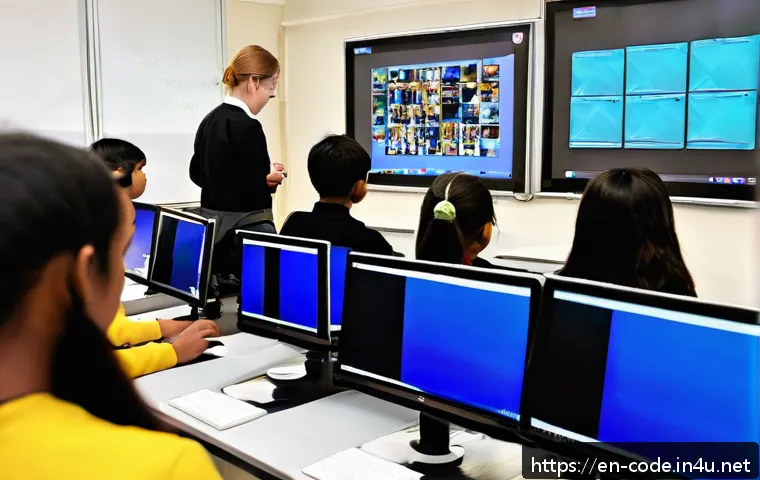
This reflection process deepens understanding and fosters a growth mindset, showing students that mistakes are part of learning. Iteration also teaches resilience, as students revise and improve their work continuously.
Incorporating these steps into lesson plans makes the learning cycle more dynamic and learner-centered.
Balancing Theory and Hands-On Practice
While theoretical concepts are important, coding education thrives on doing. I balance lessons by interspersing short explanations with immediate hands-on exercises.
This method keeps energy levels high and allows students to apply knowledge right away, reinforcing learning. It also caters to different learning styles, ensuring that both visual and kinesthetic learners benefit.
From my experience, this blend prevents boredom and keeps students actively engaged throughout the class.
Assessing Student Progress with Purpose and Fairness
Using Formative Assessments to Guide Learning
Formative assessments, such as quizzes, coding challenges, or peer reviews, provide ongoing insights into student understanding. I use these low-stakes evaluations to identify areas where learners struggle and adjust instruction accordingly.
This approach keeps assessment integrated with learning rather than a separate event, reducing anxiety and promoting continuous improvement. It also encourages students to view feedback as a helpful tool rather than judgment.
Designing Authentic Performance Tasks
Assessments that mimic real-world coding tasks better measure students’ ability to apply knowledge practically. For example, asking students to debug a piece of code, develop a small app, or collaborate on a project captures a fuller picture of their skills.
I’ve seen learners become more engaged and motivated when assessments feel relevant and meaningful. This method also prepares students for future challenges in their careers, making the evaluation process more purposeful.
Providing Transparent and Constructive Feedback
Clear, detailed feedback helps students understand their strengths and areas for growth. I make it a point to highlight what was done well before addressing improvements, which builds confidence and openness to learning.
When feedback is specific and actionable, students can take concrete steps to enhance their skills. Regular feedback loops also strengthen teacher-student relationships, fostering trust and a positive learning atmosphere.
Utilizing Time Management Techniques for Project-Based Learning
Breaking Projects into Manageable Milestones
Large coding projects can be overwhelming if tackled all at once. I guide students to divide their work into smaller milestones with deadlines, which makes progress tangible and less daunting.
This structure encourages steady effort and prevents last-minute rushes. Celebrating milestone completions also boosts morale and keeps motivation high.
It’s a practical way to help students develop project planning skills that will benefit them well beyond the classroom.
Encouraging Consistent Work Habits
Building a routine around coding practice improves skill retention and reduces procrastination. I recommend students set aside regular time slots for coding each week, even if just for short periods.
From my observations, consistent practice leads to better problem-solving abilities and fewer frustrations when facing complex challenges. Sharing time management tips and tools, like calendars or task lists, also helps students take control of their learning journey.
Allowing Flexibility for Creativity
While structure is important, too rigid a schedule can stifle creativity and exploration. I make sure to leave room for students to experiment, try new ideas, and even pivot their projects if inspiration strikes.
This flexibility nurtures innovation and keeps the learning experience fresh and exciting. Balancing deadlines with creative freedom empowers students to take risks and develop unique solutions, which is exactly what coding education aims to cultivate.
Summary of Key Coaching and Planning Strategies
| Strategy | Key Benefits | Practical Tips |
|---|---|---|
| Peer-to-Peer Learning | Enhances collaboration and confidence | Use pair programming and group projects |
| Project Personalization | Increases motivation and creativity | Align projects with student interests |
| Interactive Tools | Facilitates hands-on practice and instant feedback | Incorporate platforms like Replit and Git |
| Clear Objectives | Focuses learning and tracks progress | Set specific, achievable goals per lesson |
| Formative Assessment | Guides instruction and reduces anxiety | Use quizzes, peer reviews, and coding challenges |
| Time Management | Prevents overwhelm and builds discipline | Break projects into milestones and encourage routines |
In Conclusion
Creating a collaborative and engaging coding environment is essential for student success. By fostering peer learning, integrating real-world projects, and using effective tools, educators can inspire curiosity and confidence. Thoughtful planning and meaningful assessments further support growth and motivation. Ultimately, these strategies help students develop not only coding skills but also a passion for continuous learning.
Helpful Information to Keep in Mind
1. Encourage students to work together through pair programming and group projects to build teamwork and deepen understanding.
2. Design projects that connect to students’ interests or real-life problems to boost engagement and creativity.
3. Utilize interactive coding platforms and version control tools to provide instant feedback and professional experience.
4. Set clear, achievable lesson objectives to help students focus and track their progress effectively.
5. Break down large projects into smaller milestones and promote consistent coding habits to manage time well and reduce stress.
Key Takeaways for Effective Coding Education
Building a successful coding classroom requires balancing collaboration, creativity, and structure. Encouraging open communication and peer support fosters a positive learning atmosphere. Integrating practical tools and real-world projects keeps lessons relevant and exciting. Clear goals combined with ongoing, constructive feedback help maintain motivation and guide improvement. Finally, teaching students how to manage their time and workflow equips them with skills that extend beyond coding, preparing them for future challenges.
Frequently Asked Questions (FAQ) 📖
Q: How can project-based learning improve student engagement in coding classes?
A: Project-based learning transforms coding lessons from abstract concepts into hands-on experiences. When students work on real-world projects, they see the immediate impact of their code, which naturally boosts motivation.
In my experience, students become more invested when they can create something tangible, whether it’s a game, a website, or an app. This approach also encourages collaboration and problem-solving, making the learning process more dynamic and less intimidating.
Q: What are some effective coaching techniques to keep coding students motivated?
A: One technique that really works is personalized feedback combined with encouragement. I’ve found that acknowledging small wins and guiding students through their mistakes without judgment helps build their confidence.
Another strategy is to set clear, achievable milestones within projects, so learners don’t feel overwhelmed. Mixing short challenges with longer-term projects keeps the pace varied, maintaining interest and giving students a sense of progress.
Q: How should lesson plans be structured to foster creativity and critical thinking in coding classes?
A: Lesson plans that start with open-ended problems allow students to explore different solutions rather than following a rigid script. I usually design lessons where the first part introduces core concepts, followed by brainstorming sessions where students pitch ideas before coding.
Incorporating peer reviews and reflection time encourages critical thinking. From what I’ve seen, this flexible structure not only sparks creativity but also helps students develop a deeper understanding of coding principles.