Navigating unexpected situations during coding education sessions is a challenge every instructor faces. Whether it’s technical glitches, student misunderstandings, or sudden disruptions, how you respond can make all the difference in maintaining a productive learning environment.

From my own experience, staying calm and prepared not only helps keep the class on track but also builds trust with your students. Effective problem-solving skills are essential to ensure smooth, engaging lessons that inspire confidence.
Let’s dive into practical strategies for handling these moments with ease and professionalism. I’ll walk you through the best approaches to keep your coding classes running seamlessly!
Mastering Classroom Flow When Tech Acts Up
Recognizing Common Technical Glitches
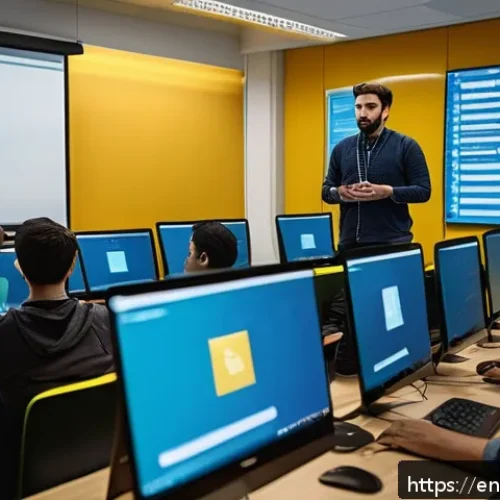
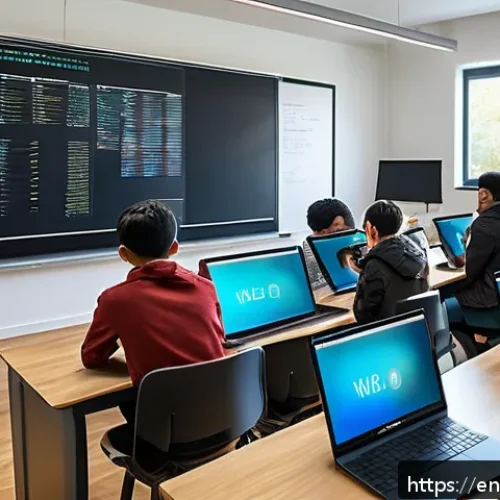
Technical hiccups are almost inevitable in coding classes—whether it’s a sudden Wi-Fi dropout, software crashes, or unexpected updates interrupting your flow.
From personal experience, the key is to anticipate these moments before they spiral into frustration. For example, having backup plans like offline coding exercises or pre-downloaded resources saved me countless times.
When you spot a lagging connection or a frozen screen, quickly switch gears and communicate openly with your students about what’s happening. This transparency keeps everyone patient and engaged rather than anxious.
Quick Fixes and Contingency Plans
I learned early on that being reactive isn’t enough; proactive preparation makes all the difference. Setting up mirrored devices, using cloud-based IDEs that auto-save work, or even having a secondary internet source can save your class from grinding to a halt.
When a glitch occurs, calmly walk through troubleshooting steps aloud to model problem-solving. If the issue persists, pivot to a discussion or coding concept review while tech support kicks in.
This approach not only preserves learning momentum but also subtly teaches students how to handle real-world coding frustrations.
Maintaining Student Morale During Disruptions
Technical troubles can quickly dampen the mood, but your reaction sets the tone. Sharing a quick personal story about a time you struggled with a bug or tech failure humanizes you and reassures students it’s a normal part of coding.
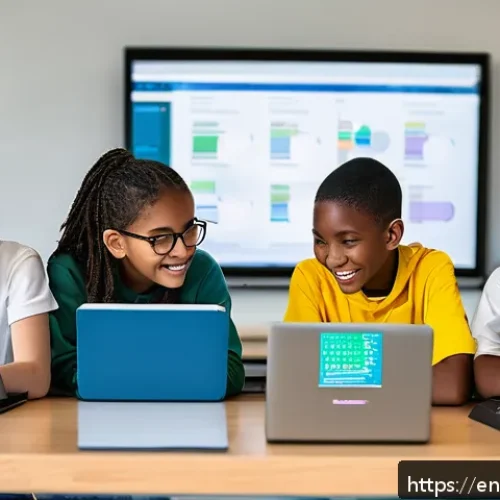
Encourage questions and foster a team spirit by inviting students to suggest fixes or share similar experiences. This collaborative attitude transforms a potential setback into a bonding and learning opportunity, keeping energy levels high and anxiety low.
Clarifying Complex Concepts on the Fly
Spotting When Students Are Lost
One challenge I often face is recognizing when a student is silently struggling with a concept. It’s not always obvious, especially in virtual settings.
I’ve found that asking open-ended questions or requesting students to explain ideas back to the group reveals gaps in understanding. Watching for signs like blank stares, slow responses, or repeated mistakes also cues me to slow down.
This attentiveness helps me adjust my pace before confusion snowballs.
Adapting Explanations to Diverse Learning Styles
Not everyone grasps coding logic the same way. Some students thrive with visual aids, others prefer hands-on examples, and a few need verbal walkthroughs.
I often switch between diagrams, live coding demos, and analogies mid-session to cater to different preferences. For instance, explaining loops by comparing them to a playlist repeating songs clicks with many.
Tailoring explanations on the spot requires flexibility but dramatically improves comprehension and keeps everyone on board.
Encouraging Peer Support and Questions
Creating an environment where students feel safe to ask questions or help each other is crucial. I encourage pairing or small group discussions during tricky topics.
Peer explanations sometimes resonate more than instructor-led ones because they come from a relatable perspective. Plus, when students explain concepts aloud, they reinforce their own understanding.
This dynamic not only clears confusion but builds a collaborative class culture that sustains learning beyond your intervention.
Managing Unexpected Interruptions with Poise
Handling Sudden Classroom Disruptions
Disruptions like noisy environments, unplanned fire alarms, or students joining late can derail focus. From experience, the best way to handle these is to pause briefly and acknowledge the interruption without frustration.
For example, if a fire alarm sounds, I calmly instruct students to follow safety procedures, then reassure them we’ll resume shortly. This composed response models professionalism and helps students feel secure, even when the unexpected happens.
Dealing with Challenging Student Behaviors
Sometimes students may become disengaged, distracted, or disruptive. Instead of reacting emotionally, I try to understand the root cause—whether it’s boredom, confusion, or personal issues.
A quick private check-in or redirecting their attention with an interesting coding challenge often helps. When necessary, setting clear but kind boundaries about class conduct maintains respect without alienating anyone.
The goal is always to keep the learning space positive and focused.
Using Humor and Empathy to Diffuse Tension
Injecting light humor during tense moments can defuse stress and re-energize the group. I recall one class where a student’s cat jumped onto the keyboard mid-lesson—laughing together instantly eased tension and made the session memorable.
Empathy also goes a long way; acknowledging that everyone has off days or tech frustrations creates connection. This warm approach builds trust and encourages students to persevere through challenges alongside you.
Fostering Engagement When Plans Shift
Pivoting Smoothly to Alternative Activities
Sometimes your carefully planned lesson won’t unfold as intended. Maybe a coding platform is down or a demo fails. Having a flexible mindset allows you to pivot seamlessly.
I keep a stash of quick coding puzzles, conceptual quizzes, or group brainstorms ready to deploy. These alternatives keep students actively involved instead of passively waiting.
Over time, I noticed that these spontaneous activities often spark creativity and deepen understanding in unexpected ways.
Leveraging Student Input for Dynamic Sessions

Engaging students by inviting their input on what to tackle next can turn disruptions into opportunities. Asking, “What topic do you want to review?” or “Who wants to share their code challenge?” empowers learners and boosts motivation.
I’ve found that when students feel ownership of the class direction, they participate more enthusiastically and help keep momentum alive even when the original plan changes.
Balancing Structure with Flexibility
While having a syllabus is important, rigid adherence can backfire when problems arise. From trial and error, I’ve learned that blending structure with flexibility creates the best learning environment.
I keep core objectives clear but allow room for detours based on class needs or tech realities. This approach reduces stress for both instructor and students, making the coding journey feel less like a race and more like an adaptable adventure.
Building Trust Through Transparent Communication
Being Honest About Challenges
When things don’t go as planned, admitting it openly instead of glossing over issues builds credibility. I tell students when I’m troubleshooting something or need a moment to regroup.
This honesty models professional integrity and reassures learners that setbacks are normal and manageable. It also invites patience and cooperation, reducing frustration on both ends.
Setting Clear Expectations Early
At the start of every course, I outline how we’ll handle hiccups like tech failures or schedule changes. Establishing this upfront sets a cooperative tone and reduces surprises later.
For example, I explain that if a platform is down, we’ll switch to alternative exercises and catch up on missed content later. Clear expectations empower students to adapt calmly and trust your leadership.
Encouraging Open Feedback Loops
Inviting students to share feedback regularly about pace, clarity, or tech issues helps you fine-tune the experience in real-time. I use quick surveys or informal check-ins to gauge mood and understanding.
When students see their voices influence the class, engagement and trust deepen. Plus, you catch potential problems early before they escalate.
Practical Tools for Real-Time Problem Solving
Utilizing Collaborative Platforms
Tools like shared code editors, live chat, and screen-sharing apps are invaluable for troubleshooting on the fly. I often use platforms that allow me to jump into a student’s code directly to spot errors faster.
These tools also enable peer collaboration, making it easier to crowdsource solutions quickly. The instant feedback loop they create keeps the class moving smoothly despite bumps.
Implementing Checkpoints and Milestones
Breaking lessons into smaller goals with regular checkpoints helps detect misunderstandings early. I build mini quizzes or coding challenges into sessions so I can assess progress and adjust as needed.
This approach prevents confusion from accumulating and lets students feel a sense of achievement throughout. It’s a simple but powerful way to keep everyone aligned and motivated.
Creating a Resource Hub for Troubleshooting
Having a centralized collection of FAQs, troubleshooting guides, and common error explanations proved invaluable in my teaching. I direct students there when they hit common snags, enabling quick self-help and reducing interruptions.
Over time, this resource grows into a helpful reference that supports independent learning and confidence building.
Summary of Common Challenges and Solutions
| Challenge | Typical Cause | Effective Response |
|---|---|---|
| Wi-Fi or Software Crashes | Unstable internet, untested updates | Backup offline exercises, switch to discussion, keep calm |
| Student Confusion | Complex concepts, varying learning styles | Use varied explanations, peer support, frequent checks |
| Classroom Interruptions | External noise, late arrivals, distractions | Pause briefly, acknowledge calmly, reset focus |
| Disengagement or Disruptive Behavior | Boredom, frustration, external stress | Private check-ins, engaging challenges, set boundaries kindly |
| Lesson Plan Disruptions | Technical failures, unexpected delays | Flexible alternatives, student input, maintain core goals |
| Communication Breakdowns | Unclear expectations, lack of feedback | Be transparent, set rules early, encourage open dialogue |
Wrapping Up
Mastering the flow of a classroom when technology falters is all about preparation, flexibility, and clear communication. Drawing from real experiences, staying calm and engaging students through challenges transforms disruptions into valuable learning moments. With the right mindset and tools, even unexpected glitches can strengthen your teaching and deepen student trust.
Handy Tips to Keep in Mind
1. Always have backup activities ready, like offline exercises or conceptual discussions, to keep momentum when tech issues arise.
2. Pay close attention to students’ non-verbal cues and encourage them to express confusion early to avoid misunderstandings piling up.
3. Foster a supportive environment by promoting peer collaboration and open questions, which helps build confidence and clarity.
4. Use humor and empathy to ease tension during disruptions, making the classroom feel safe and relatable.
5. Communicate transparently about challenges and set clear expectations at the start to build trust and reduce frustration.
Key Takeaways for Smooth Teaching
Handling technical glitches proactively and calmly is essential to maintaining classroom flow. Adapting explanations to diverse learning styles and encouraging peer support ensures no student gets left behind. When unexpected interruptions occur, responding with composure and kindness keeps focus intact. Flexibility in lesson plans combined with transparent communication fosters a positive learning atmosphere where students feel empowered and engaged. Ultimately, embracing these strategies turns challenges into opportunities for growth and connection.
Frequently Asked Questions (FAQ) 📖
Q: How can I stay calm and composed when unexpected technical issues disrupt my coding class?
A: From my experience, the key is to take a deep breath and remind yourself that these hiccups are normal and solvable. Having backup plans ready—like offline exercises or alternative tools—really helps reduce stress.
I’ve found that openly acknowledging the issue to students and involving them in troubleshooting creates a collaborative vibe, which not only diffuses tension but also models problem-solving skills.
Staying calm signals confidence to your class and keeps the learning momentum going.
Q: What strategies work best for addressing student misunderstandings during live coding sessions?
A: When students get stuck or confused, pausing to ask clarifying questions can make a world of difference. I often encourage learners to explain what they think is happening—that way, I can pinpoint the exact gap.
Breaking down complex concepts into smaller, relatable chunks and using real-life analogies has helped me bridge understanding quickly. Also, fostering an environment where questions are welcomed without judgment motivates students to speak up before confusion escalates.
Q: How should I handle sudden disruptions like noisy backgrounds or unexpected interruptions without losing focus?
A: Life happens, and unexpected noises or interruptions are part of the reality of remote or in-person teaching. What’s helped me is setting clear expectations at the start about minimizing disruptions and offering a brief pause if needed.
If something unavoidable occurs, acknowledging it calmly and briefly before redirecting attention helps maintain professionalism. Sometimes, a light-hearted comment about the interruption can ease tension and re-engage the group effectively.
The goal is to acknowledge the disruption without letting it derail the session’s flow.